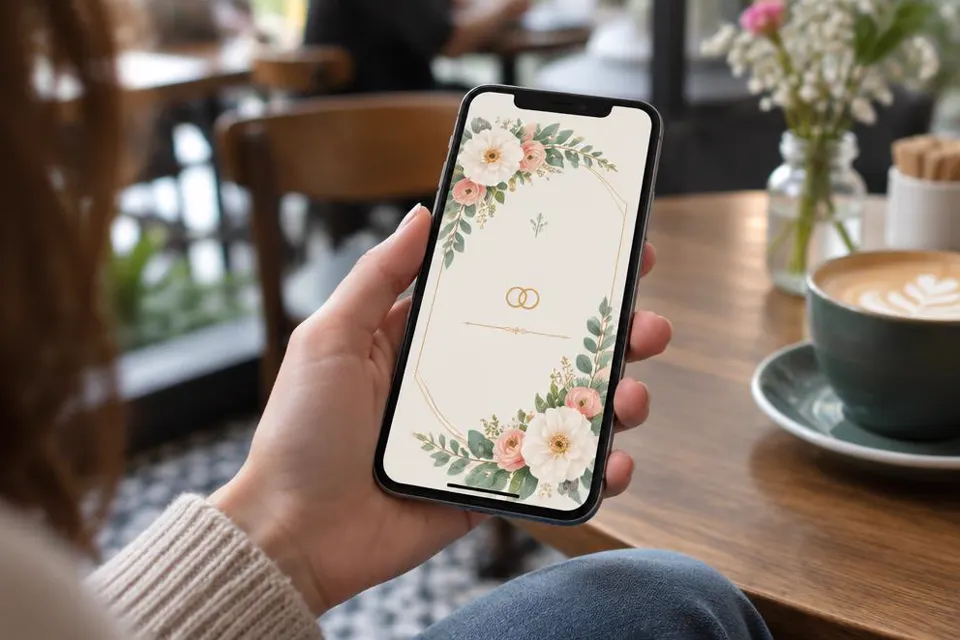
What Digital Wedding Invitations Actually Are
Before you choose a design or send a single message, it helps to understand what digital wedding invitations cover and why so many couples are choosing them for part or all of their guest communication.
Digital wedding invitations are electronic versions of the paper invite, sent to guests through a link, an image, a PDF, or a message rather than through the postal service. They can be as simple as a styled photo shared in a group chat, or as complete as a full wedding website with a formal invitation page, an RSVP form, a schedule, travel details, and a gift registry link all in one place.
The term covers a wide range of formats. Some couples design a single graphic in a design tool and send it as an image attached to a text message or an email. Others build an animated invitation with video and music. Many now use a dedicated wedding website that holds the invitation wording along with every other detail guests need, and they share that one link everywhere instead of juggling several files.
The common thread is that nothing is printed and nothing travels by post. Everything your guest needs to see, from the date and venue to the dress code and the RSVP button, lives in a digital space they can open on a phone, tablet, or computer whenever it suits them.
For a modern couple planning a wedding with guests spread across cities or countries, this matters a great deal. A paper card takes days or weeks to arrive and cannot be updated once it is printed. A digital invitation can be opened within seconds of being shared and can be corrected instantly if a detail changes, which is one reason the format has become so common for weddings of every size and budget.
The main formats you can choose from
Common digital invitation formats
- A single designed image or PDF shared directly with guests by message or email
- An animated or video invitation that plays like a short film
- A dedicated wedding website with an invitation section plus RSVP, schedule, and travel pages
- An interactive e-card platform that sends and tracks invitations automatically
- A hybrid approach where a small number of paper invites go to elders alongside a digital version for everyone else
Most couples today land somewhere between the second and third option. A wedding website gives you a central, always up to date hub, while a short, beautifully designed invitation graphic or short video is what actually gets shared in chats and used as the cover image guests see first.
Why Couples Are Choosing Digital Over Paper
There are several practical reasons couples now default to digital invitations, and understanding them will help you decide how much of your own invitation process to move online.
The first reason is speed. A digital invitation can be finished, approved, and shared with every guest in a single afternoon. There is no waiting for printing, no waiting for delivery, and no risk of an invitation arriving late or getting lost in the post, which matters especially for destination weddings or guests living abroad.
The second reason is flexibility. Wedding plans change. A venue may need to move rooms, a start time may shift by an hour, or a dress code may need clarifying after a few confused messages. With a paper invitation, that change is permanent and uncorrectable once the cards are out. With a digital invitation, especially one built on a wedding website, you simply update the page and every guest who opens the link sees the latest version.
The third reason is organisation. When RSVPs, meal choices, and plus one details come back through a form instead of scattered text messages and phone calls, they are far easier to track. Instead of a notebook full of half remembered replies, you get a clean list you can export, sort, and share with your caterer or venue.
The fourth reason is reach. Guests living in different time zones, family members who are less comfortable opening a sealed envelope and replying by post, and friends who simply live their life through their phone are all more likely to open a message that arrives in their usual messaging app. For many couples this means higher and faster response rates than they ever had with paper.
Cost and effort considerations
Printing, stationery, calligraphy, and postage all add up, and that spending multiplies again for the save the date, the invitation itself, and any additional inserts such as RSVP cards or direction cards. A digital approach removes most of that layered cost and the effort of assembling and posting each piece by hand.
This is part of why a platform like My Joyfullday exists. It lets you build a complete wedding website with an invitation, schedule, and RSVP system without needing separate design software, printing, or postage, and guests can respond through WhatsApp rather than having to create an account or download anything new.
Building Your Digital Invitation Timeline
A digital invitation does not remove the need for a timeline. If anything, it rewards couples who plan the sequence of messages carefully so guests are never confused about what to do next.
Think of your communication in three distinct waves, each with its own purpose. The first wave is the save the date, sent as soon as the venue and date are locked in. The second wave is the formal invitation with full details and the RSVP request. The third wave is reminders and final logistics sent closer to the day.
| Stage | When to send | What it should include |
|---|---|---|
| Save the date | 8 to 12 months before, earlier for destination weddings | Names, date, city, a line asking guests to hold the date |
| Formal invitation | 4 to 6 months before | Full details, link to the wedding website, RSVP deadline |
| RSVP reminder | 2 to 3 weeks before the deadline | Friendly nudge to guests who have not responded |
| Final details message | 1 to 2 weeks before the wedding | Parking, timing changes, weather notes, final schedule |
| Thank you message | After the wedding | A warm note, with photos if ready |
Setting a clear RSVP deadline is one of the most overlooked steps in digital invitations. Because a digital message feels less urgent than a physical card sitting on a mantelpiece, guests can let it slip to the bottom of their inbox. State the deadline plainly on the invitation and again on the wedding website, and plan one reminder message roughly two to three weeks before that date.
Working backwards from your wedding date
Start by marking your wedding date, then count backwards. Your venue and caterer will usually need final numbers a few weeks before the day, so your RSVP deadline should sit comfortably before that, leaving you time to chase late replies. From there, work out when the formal invitation needs to go out so guests have enough notice, particularly if many are travelling.
Timeline planning checklist
- Confirm your venue and date before sending anything
- Decide your RSVP deadline based on your caterer's final count date
- Plan save the date, invitation, reminder, and final details messages on a calendar
- Build extra buffer time for guests travelling internationally
- Set a reminder for yourself to send the final details message
Designing an Invitation That Feels Personal
A digital invitation can feel just as warm and personal as paper when the design and wording reflect your actual voice as a couple rather than a generic template.
Start with your colour palette and a photo or illustration that represents you as a couple. This does not need to be elaborate. A soft colour that matches your wedding theme, your names in a clean font, and a single meaningful photo or motif is often more elegant than an invitation crowded with too many elements.
Wording matters just as much as design. Keep the formal details clear and legible even if the surrounding design is playful. Guests should be able to find the date, time, venue, and RSVP instructions within a few seconds of opening the invitation, without needing to scroll through decorative text first.
Sample wording you can adapt
Formal tone: Together with their families, Asha and Daniel joyfully invite you to celebrate their wedding. Saturday the fourteenth of March. Half past four in the afternoon. The Garden Pavilion, Cape Town. Kindly respond by the first of February.
Relaxed tone: We are getting married and we would love nothing more than for you to be there. Join Priya and Marcus on Saturday the fourteenth of March at the Garden Pavilion. Please let us know if you can make it by the first of February.
Whichever tone you choose, keep the same wording consistent across your invitation graphic, your wedding website, and any messages you send afterwards. Guests notice when details do not match, and consistency builds confidence that the information is accurate.
Design elements worth including
- Your names, clearly set apart from the rest of the text
- Date, start time, and venue name in full
- A short line about the celebration, formal or relaxed depending on your style
- A clear call to action such as RSVP here with a link or button
- Dress code or theme if relevant, stated plainly
Choosing a Platform for Your Digital Invitation
The platform you choose shapes how easy the whole process feels, both for you while building it and for your guests while using it.
Some couples use a general design tool to create a single invitation image, which works well if all you need is one graphic to share directly. Others want something closer to a full wedding hub, including a website with multiple pages, built in RSVP tracking, and guest messaging, which is better suited to weddings with larger guest lists or more moving pieces such as multiple events.
When comparing platforms, pay attention to how guests actually respond. A platform that requires guests to download a new app or create an account will always see lower response rates than one that lets guests reply through a messaging app they already use every day. This is one of the reasons My Joyfullday built its RSVP system around WhatsApp, since most guests, across most age groups, already know how to use it without any instructions.
| Approach | Best for | Main limitation |
|---|---|---|
| Single image or PDF | Small, simple weddings with one event | No built in RSVP tracking |
| Animated video invitation | Couples wanting a memorable first impression | Can be heavy to send over slow connections |
| Full wedding website | Weddings with multiple events, travel info, or large guest lists | Takes more time to set up initially |
| App based e-invite platforms | Tech comfortable guest lists | Some guests resist creating new accounts |
What to look for in a wedding website builder
Platform checklist
- Can you edit details yourself after publishing, without needing a designer
- Does it let guests RSVP without downloading anything new
- Can you track responses, meal choices, and plus ones in one place
- Is it free of guest facing ads that would clutter the experience
- Can you add a schedule, travel information, and registry links on the same site
- Is there real human support if you get stuck
My Joyfullday offers a free three month period to build and use your wedding website, during which couples can design their invitation, collect RSVPs through WhatsApp, and get help from a real person if they are unsure how to word or structure something, rather than relying only on automated templates.
Managing RSVPs Without the Chaos
Collecting RSVPs is where many couples feel digital invitations truly pay off, provided the system is set up to make replying effortless for guests.
The simplest RSVP systems ask for very little from the guest: a yes or no, the number attending, and perhaps a meal preference. The more fields you add, the more guests will delay responding or skip the form altogether. Keep your RSVP form short and save optional extras, such as song requests, for a separate, clearly optional section.
Decide early how you want replies to arrive. A form linked from your wedding website that logs responses automatically will save you far more time than replies scattered across texts, calls, and social media comments. If you are using WhatsApp for RSVPs, guests can simply tap a button or reply to a message, and the response is recorded without either side needing to do extra admin.
Chasing late replies without feeling pushy
A short, warm reminder message works far better than a long one. Something like: Hi Grandma Rose, just a gentle reminder that we would love to know if you can join us on the fourteenth of March. No pressure at all, just let us know whenever you get a chance. This keeps the tone light while still prompting a response.
For guests who still have not replied close to your deadline, a phone call or a message from a family member they are close to often works better than another digital nudge. Digital tools are excellent for reaching everyone quickly, but a personal touch still closes the loop for the few who need it.
RSVP tracking checklist
- Set a clear deadline and state it on every message
- Keep the RSVP form to the essentials: attendance, numbers, meal choice
- Export or review your response list weekly as the deadline nears
- Send one reminder about two to three weeks before the deadline
- Follow up personally with guests who still have not replied a few days before the deadline
- Share final numbers with your venue and caterer only after the deadline has passed
Digital Invitation Etiquette
Moving your invitations online does not mean abandoning etiquette. A few simple habits keep your digital invitation feeling thoughtful rather than casual.
Address guests personally wherever possible rather than sending one generic broadcast message to everyone. Even a short personalised line before the main invitation text, such as a guest's name and a sentence about how much you would love to see them, makes a digital message feel considered rather than mass produced.
Be clear and upfront about who is invited. If children are not included, state this gently and early, such as: We are so excited to celebrate with adults only on this occasion. If plus ones are limited, address this directly with the guest rather than leaving it to guesswork, since ambiguity causes more awkwardness than a clear, kind statement.
Avoid sending your invitation through a platform or format that pressures guests into signing up for something unrelated, such as a service that asks for payment details or bombards them with advertising before they can see your wedding details. Guests should feel the digital invitation is purely about your wedding, not a doorway into something else.
Mixing digital and paper gracefully
If part of your guest list strongly prefers paper, such as older relatives, it is perfectly fine to send a small number of printed invitations alongside your digital invitations for everyone else. Keep the wording and details identical between both versions so there is no confusion about what was communicated to whom.
Etiquette essentials for digital invitations
- Personalise the greeting for each guest or household
- State clearly who is invited, including stance on children and plus ones
- Give a realistic RSVP deadline, not an unrealistically tight one
- Keep the invitation free of unrelated promotions or ads
- Match wording exactly if you are also sending any paper invitations
- Thank guests for responding, even with a short automated or personal reply
Supporting Guests Who Are Less Comfortable Online
Every guest list includes people who are less confident with technology, and a thoughtful plan keeps them from feeling excluded by a digital invitation.
The first step is simply recognising who on your list might need extra support. This is often, though not always, older relatives, and it can also include guests in areas with unreliable internet access. A short conversation with a family member who knows them well can tell you quickly whether they will be comfortable opening a link on their phone.
For these guests, consider sending the invitation through a phone call first, followed by the digital link so a family member can help them open it together. A short printed card with the key details as a backup is also a kind gesture, even if everyone else receives the full digital version.
If you are using WhatsApp for RSVPs, this actually helps rather than hinders older guests in many regions, since WhatsApp is already widely used across generations for everyday family communication, more so than many newer apps or dedicated invitation platforms that require a new account.
Checklist for less tech comfortable guests
- Identify guests who may need extra support ahead of time
- Ask a close family member to help them open and understand the invitation
- Offer a phone call to walk through the details if needed
- Provide a simple printed backup with the essential details
- Confirm their RSVP verbally rather than relying only on a digital reply
Keeping Digital Invitations Budget Friendly
One of the clearest advantages of digital invitations is cost, but there are still a few decisions that affect how much you end up spending.
The most significant saving comes from removing printing and postage entirely, which for many couples represents one of the larger line items in a traditional stationery budget. Beyond that, choosing a platform that includes design templates, RSVP tracking, and a wedding website in one place avoids the cost of hiring a separate designer or paying for multiple tools.
If you want a custom illustration or a hand drawn design element, budget for that separately, since it is one of the few remaining costs in a digital process. Many couples find that a simple, well chosen template with their own photo and wording looks just as polished without that added expense.
My Joyfullday's free three month period is particularly useful here, since it covers the exact window most couples need to build their website, send invitations, and collect RSVPs, all without any cost during the most intensive planning phase.
| Item | Paper invitation process | Digital invitation process |
|---|---|---|
| Design | Designer or stationer fee | Template or DIY design tool |
| Production | Printing per card | None |
| Delivery | Postage per guest, often international | None |
| Updates after sending | Not possible without resending | Instant and free |
| RSVP tracking | Manual, by phone or post | Automated through the platform |
Ways to save further on digital invitations
- Use one well designed template across the save the date, invitation, and reminders
- Reuse your wedding website's design for your thank you message after the wedding
- Avoid paying for multiple separate tools when one platform can cover design, RSVP, and hosting
- Keep any printed keepsake invitations to a small, necessary number only
Common Mistakes to Avoid
Most problems with digital invitations come from a handful of avoidable mistakes rather than the format itself.
The first common mistake is sending the invitation without testing the link or file on a different device first. What opens perfectly on your own phone may load slowly or display incorrectly on an older device or a different operating system. Always test your invitation on at least two different phones before sending it widely.
The second mistake is burying the essential details under too much decoration. If a guest has to zoom in or scroll through several screens to find the date and RSVP link, you have made the invitation harder to use than it needs to be. Keep the core facts large, clear, and near the top.
The third mistake is not setting an RSVP deadline at all, or setting one so close to the wedding that there is no time to chase late replies or adjust final numbers with your venue. Build in a buffer, as outlined earlier in the timeline section.
The fourth mistake is treating the digital invitation as a one time send rather than an ongoing communication tool. The real strength of a wedding website is that you can keep it updated, add new details as they are confirmed, and use it for reminders and final logistics too, rather than only for the initial invite.
Final mistakes to check before sending
- Tested the invitation link on more than one device
- Confirmed all details are spelled correctly, especially names and venue
- Checked that the RSVP link actually works and records a response
- Set a realistic, clearly stated deadline
- Planned how you will track and follow up on replies
Bringing It All Together
A successful digital invitation process combines good design, clear timing, and thoughtful communication, all working together rather than any single element carrying the whole experience.
Start by deciding on your format, whether that is a single graphic, a full wedding website, or a combination of both. Build your timeline around your actual wedding date, working backwards from your RSVP deadline and your caterer's final numbers. Design your invitation with the essentials clear and legible, then choose a platform that makes both building and replying genuinely simple for you and your guests.
From there, the process becomes a matter of consistent, kind follow through: sending reminders without pressure, supporting guests who need extra help, and keeping your wedding website updated as details are confirmed. None of this requires technical expertise, just a clear plan and a little patience.
Whichever platform or format you choose, remember that the goal of any invitation, paper or digital, is the same as it has always been: to make your guests feel genuinely welcomed and to give them everything they need to join you on the day. A well planned digital invitation does that just as warmly as a paper one ever did, often with a great deal less stress along the way.